Loading…

CAPCOM has published the PC system requirements. The bar reads mid-range rather than demanding — an SSD is required, and the full game ships with Denuvo. The free demo doubles as a benchmark for your rig.
Official CAPCOM specs. Both tiers target 1080p; the minimum tier may rely on upscaling.
Windows 11 · i5-8400 or Ryzen 3 3100 · 16 GB RAM · upscaler likely.
i5-10400 or Ryzen 5 3600 · 16 GB RAM · RTX 2060 Super or RX 6600 · Medium.
Use the free demo as your real benchmark. Start with the official 1080p target, confirm the display mode and upscaling options, then adjust for a stable frame rate before chasing higher image quality.
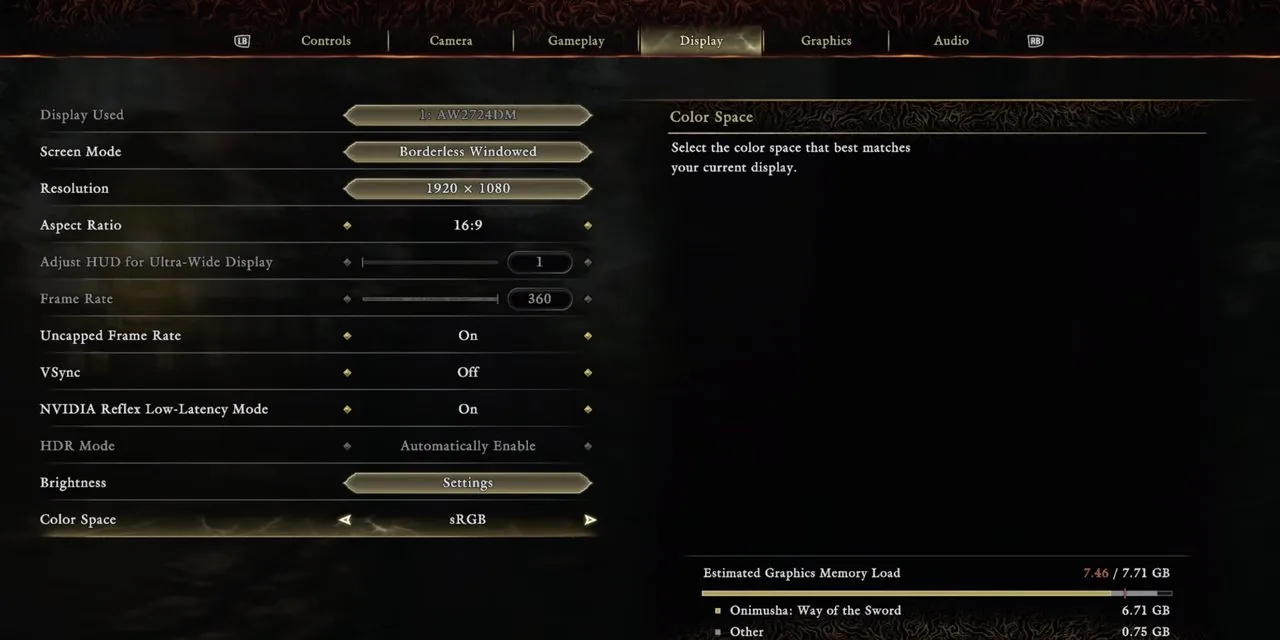 © CAPCOM
Open the demo's display settings and confirm resolution, display mode and refresh-rate behavior before judging performance.
CAPCOM's minimum and recommended tiers are framed around 1080p. Test there first, then raise resolution only if your frame rate stays stable.
Because the demo uses the same RE Engine build family, it is the most honest way to test your CPU, GPU, SSD and controller setup before buying.
If you meet roughly an i5-8400 / Ryzen 3 3100 with 16 GB RAM and an SSD, you can run it at 1080p. The free demo is the surest test — it uses the same engine.
Start with the display settings: resolution, display mode, refresh behavior and any upscaling option. Test at 1080p first because both official tiers are framed around that target.
Yes, the full game ships with Denuvo anti-tamper.
CAPCOM has not published a Steam Deck compatibility status yet. The safest answer is to install the free demo on your Deck and test performance before buying the full game.
Yes — an SSD with about 50 GB free is required.
Around 50 GB of SSD space is required for install.